🦙 TinaCMS ❤️ the dev community - fixing semantic markdown
By Josh Berman

We're continually blown away by the great developer community that helps us improve TinaCMS. Over the last 12 months, 18 people outside the core team have landed pull requests in TinaCMS (some multiple times). One we merged recently deserved a shout-out.
Big thanks to @lastenvoy30, whose first PR to the repo fixed the way our HTML tables render and made them a lot friendlier for screen readers.
TinaMarkdown used to render every row of a markdown table as <tbody><td>, header row included. There was no <thead> and no <th> anywhere in the output. Screen readers use <th> to link a cell back to its column heading, so those tables came through as an unlabeled grid.
The first row now renders as <thead><th>. That's standard GFM output, and it's what TinaCMS already did for tables you build in the rich text editor.
Before and after
Take this table in a markdown file:
| Framework | Status || --------- | ------ || Next.js | Stable |
Here is what TinaMarkdown used to give you:
<table><tbody><tr><td>Framework</td><td>Status</td></tr><tr><td>Next.js</td><td>Stable</td></tr></tbody></table>
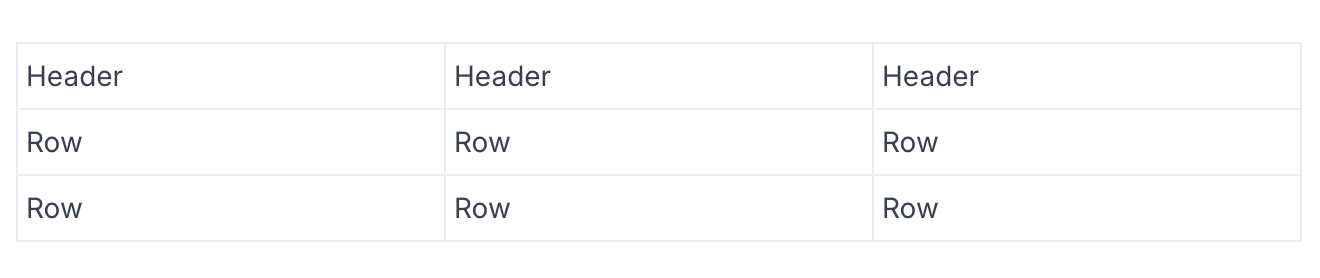
Figure: ❌ Before - Tables on TinaCMS Next.js starter
And here is what it gives you now:
<table><thead><tr><th>Framework</th><th>Status</th></tr></thead><tbody><tr><td>Next.js</td><td>Stable</td></tr></tbody></table>

Figure: ✅ After - Tables on TinaCMS Next.js starter
Your tables will output different HTML after this release, so they will probably look different too. We recommend that you double check your site by loading a page that has a table on it before you deploy TinaCMS 3.13.
You've always been able to style each HTML element that your rich text renders. Now that the header row comes through as th, you can style it separately from the body cells. If you already override td, add a th next to it, or the header row renders unstyled.
<TinaMarkdowncontent={page.body}components={{th: (props) => <th className="px-3 pb-2 font-semibold text-left" {...props} />,td: (props) => <td className="px-3 py-2" {...props} />,}}/>
If something looks off after you upgrade, tell us. Open an issue, or come find us in Discord.
The TinaCMS Team 🦙